Cloudways Flexible vs Autonomous: Which Is Better in 2026?
Compare Cloudways Flexible vs Autonomous to discover the key differences in pricing, performance, scalability, security, WordPress hosting, and server control. Find out which Cloudways hosting option is best for your website.
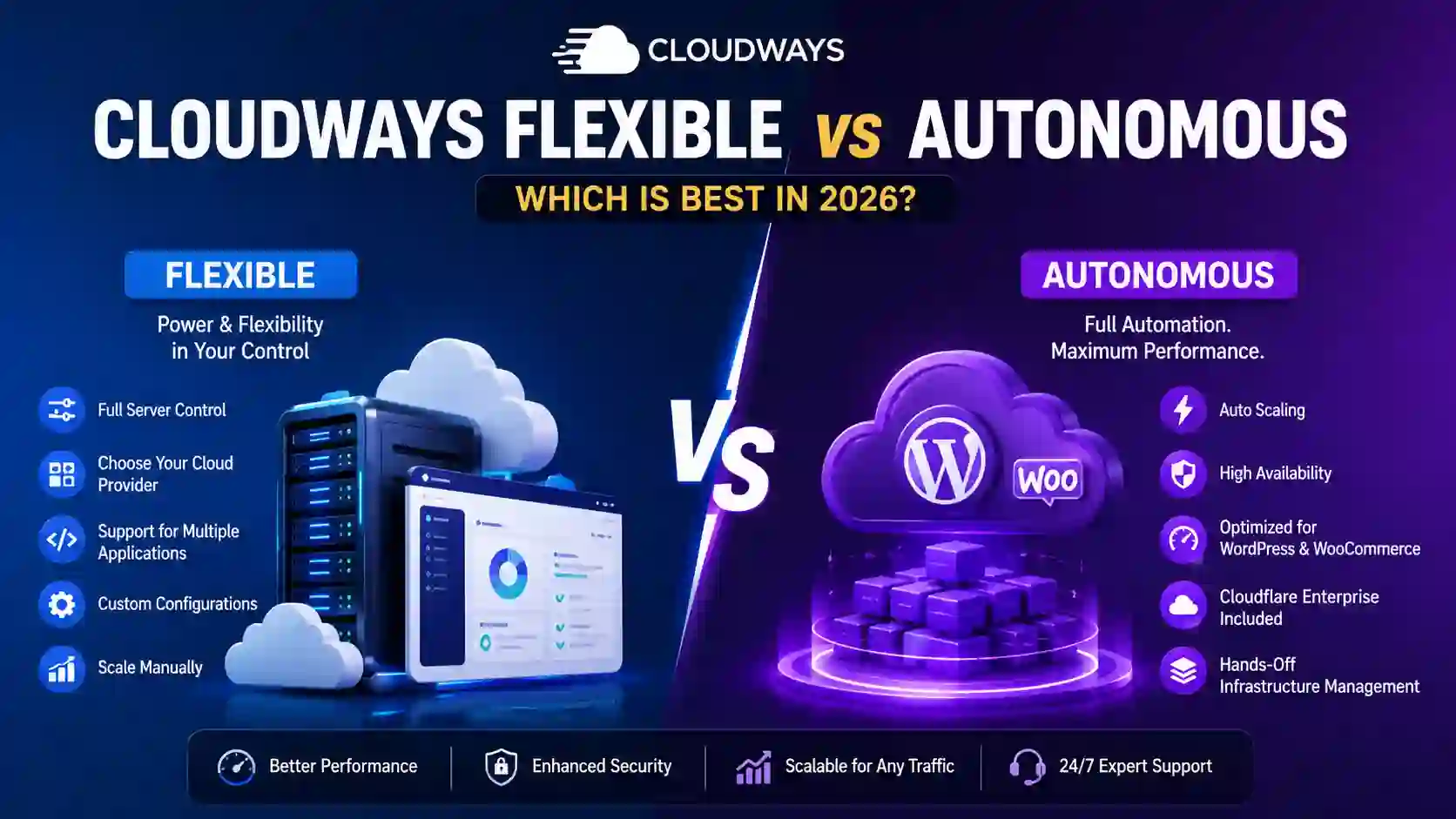
Cloudways Flexible vs Autonomous: Which Cloud Hosting Is Better?
If you are comparing cloudways flexible vs autonomous, you are essentially choosing between two different approaches to managed cloud hosting. Both are designed to make cloud hosting easier than managing raw cloud infrastructure yourself, but they are built for different types of websites, workloads, and users.
Cloudways Flexible is focused on control, customization, server choice, and application flexibility. It allows you to select cloud infrastructure and configure your hosting environment according to your requirements. Cloudways Autonomous takes a more hands-off approach, focusing on automatic scaling, high availability, performance, and simplified WordPress hosting.
This distinction is particularly important if you are running a business website, WooCommerce store, blog, membership website, LMS, publishing platform, or another application that may experience unpredictable traffic.
In this detailed cloudways flexible vs autonomous comparison, we will explain how both platforms work, their differences, pricing considerations, performance, scalability, security, application support, ease of use, and which option may be better for different types of users.
Cloudways Flexible vs Autonomous at a Glance
Before going into the details, here is a quick comparison.
| Feature | Cloudways Flexible | Cloudways Autonomous |
|---|---|---|
| Primary focus | Control and flexibility | Automation and scalability |
| Best for | WordPress, WooCommerce, Magento, Laravel, PHP and other applications | WordPress and WooCommerce |
| Server management | More control over server configuration | Infrastructure managed automatically |
| Cloud provider selection | Available | Managed by the Autonomous platform |
| Autoscaling | Manual scaling | Automatic autoscaling |
| High availability | Depends on configuration | Built into the platform |
| Server choice | Yes | No traditional server selection |
| Application flexibility | Broad | More focused |
| Customization | High | More limited |
| Traffic spike handling | Requires planning/scaling | Automatic scaling |
| Billing model | Usage-based server billing | Hourly application billing plus applicable scaling/overage charges |
| Cloudflare Enterprise | Optional/add-on depending on setup | Included |
| Object Cache Pro | Available depending on setup | Included |
| Best for developers | Yes | Less focused on manual infrastructure control |
| Best for agencies | Yes | Useful for WordPress-focused agencies |
| Best for high-traffic WordPress | Good with proper configuration | Excellent for automated scaling |
| Ease of management | High | Very high |
| Infrastructure control | High | Low |
| Maintenance responsibility | More user-managed | More automated |
| Ideal approach | "I want control" | "I want automation" |
Cloudways itself describes Flexible as managed hosting with flexibility across applications and cloud providers, while Autonomous is designed around fully managed, autoscalable WordPress hosting.
What Is Cloudways Flexible?
Cloudways Flexible is the traditional Cloudways managed cloud hosting model. It gives users more control over their hosting environment while still handling many of the difficult server-management tasks associated with cloud hosting.
Instead of purchasing a basic shared hosting package, you can deploy applications on cloud infrastructure and manage them through the Cloudways platform.
Cloudways Flexible supports a broader range of applications, including WordPress, WooCommerce, Magento, Laravel, and custom PHP applications.
One of the biggest advantages of Flexible is that you have greater control over the infrastructure.
You can select supported cloud infrastructure, choose server resources, configure applications, manage server settings, deploy multiple websites, use staging environments, configure backups, and perform other hosting tasks.
This makes Flexible particularly attractive to developers, agencies, businesses, and website owners who want more control over how their hosting environment works.
Main Advantages of Cloudways Flexible
Cloudways Flexible is particularly useful when you need:
- Greater server control
- Multiple applications on a server
- Multiple cloud provider choices
- Support for applications beyond WordPress
- Custom server configurations
- Manual scaling
- Developer-oriented tools
- More control over server and application settings
- Hosting for multiple websites
- Flexible infrastructure choices
The major trade-off is that more control also means more responsibility.
If your website suddenly receives a huge traffic spike, you may need to monitor the situation and adjust resources yourself rather than relying entirely on automatic infrastructure scaling.
What Is Cloudways Autonomous?
Cloudways Autonomous is designed for users who want managed WordPress hosting without having to worry about server selection, infrastructure management, or manual scaling.
It is built around Kubernetes-based infrastructure and is specifically designed to provide automatic scaling and high availability for WordPress and WooCommerce workloads.
The key idea behind Autonomous is simple:
You manage your website, while Cloudways manages the infrastructure.
Instead of choosing a traditional VPS configuration and manually adjusting resources, your application operates inside an infrastructure designed to automatically respond to changing demand.
Cloudways describes Autonomous as fully managed WordPress hosting that handles traffic spikes and scaling without requiring users to manage servers.
This makes it particularly interesting for websites where traffic can change rapidly.
For example, imagine a website normally receives 10,000 visitors per day but suddenly receives 100,000 visitors because of:
- A viral article
- A social media campaign
- A product launch
- A promotional campaign
- A seasonal sale
- A major news event
- A successful advertising campaign
With traditional hosting, the website owner may need to upgrade resources or configure scaling.
With Autonomous, the platform is designed to automatically increase resources as demand increases and reduce them when demand decreases.
Cloudways Flexible vs Autonomous: The Biggest Difference
The easiest way to understand the cloudways flexible vs autonomous comparison is to think about control versus automation.
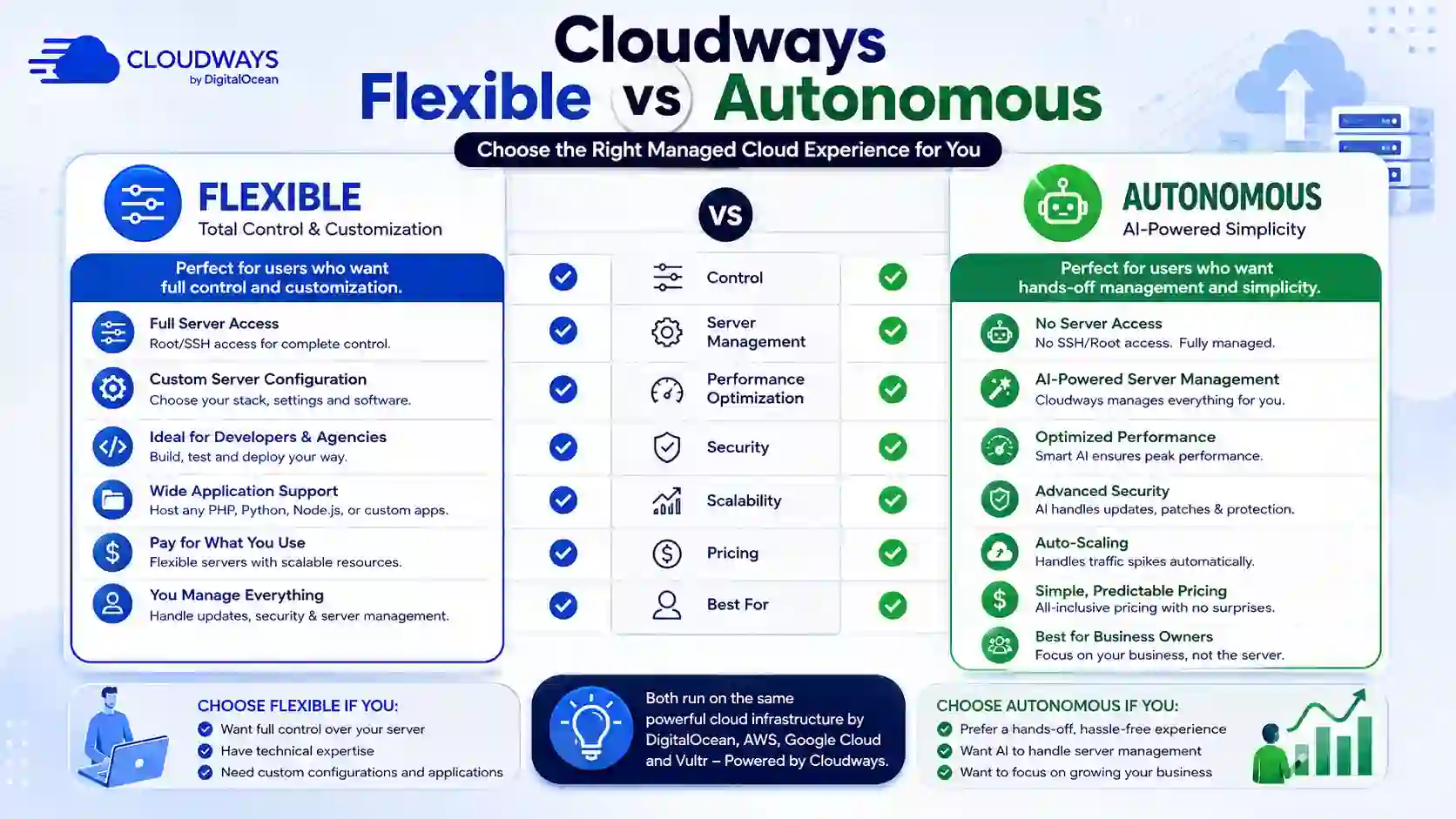
Cloudways Flexible gives you more control.
Cloudways Autonomous gives Cloudways more responsibility for managing the infrastructure.
Cloudways Flexible
The model is:
You choose → configure → monitor → scale.
You have more control over the environment and can make infrastructure decisions according to your requirements.
Cloudways Autonomous
The model is:
Deploy → Cloudways manages → infrastructure scales automatically.
You have fewer infrastructure decisions to make, but you also have less direct control.
Neither approach is automatically better.
The right option depends on your website.
Cloudways Flexible vs Autonomous: Server Control
Server control is one of the most important differences.
With Cloudways Flexible, you have a traditional server-oriented hosting environment. You can select cloud infrastructure and configure your server based on your needs.
This makes Flexible suitable for developers who want to control things such as:
- Server resources
- Application configuration
- PHP versions
- Server settings
- Scaling decisions
- Cloud infrastructure
- Multiple applications
- Deployment configurations
Cloudways' current documentation describes Flexible as the platform where users can manually manage servers and applications with more configuration control.
Autonomous takes a different approach.
The infrastructure is managed by Cloudways, so users do not need to manage traditional servers in the same way.
This is beneficial if you do not want to spend time thinking about:
- Server capacity
- Infrastructure scaling
- Kubernetes
- Load balancing
- Traffic spikes
- Server-level optimization
For most non-technical website owners, Autonomous is therefore easier.
For developers who require server-level control, Flexible is generally more attractive.
Cloudways Flexible vs Autonomous: Scalability
Scalability is where Autonomous becomes particularly interesting.
Cloudways Autonomous uses autoscaling to adjust resources based on application demand. According to Cloudways, applications operate in pods and the platform can add resources during traffic increases and reduce them when demand falls.
This is useful for websites with unpredictable traffic.
For example, suppose your website normally receives moderate traffic.
One day, a page becomes popular on Google Discover or a social media platform.
Traffic suddenly increases several times over normal levels.
On a traditional manually managed environment, you might have to monitor CPU, RAM, PHP workers, database performance, and other resources.
Autonomous is designed to handle this automatically.
Does Flexible Scale?
Yes, but the approach is different.
With Flexible, you generally have more direct control over scaling your server resources.
That can be an advantage if you know exactly what your application needs.
For predictable traffic, manual scaling may not be a problem.
For unpredictable traffic, automatic scaling can be extremely valuable.
Therefore:
Flexible = more manual control
Autonomous = more automatic scaling
Cloudways Flexible vs Autonomous: Performance
Performance depends on many factors, including:
- Website code
- Database queries
- Plugins
- Themes
- Images
- Caching
- CDN configuration
- Traffic patterns
- Server resources
- Application architecture
Therefore, it would be inaccurate to say that one platform is always faster than the other.
However, the two platforms approach performance differently.
Flexible allows you to optimize your environment based on your application's requirements.
This is useful for experienced developers who know how to tune their hosting environment.
Autonomous focuses more on automatically maintaining performance as traffic changes.
Cloudways states that Autonomous is designed to automatically scale when traffic increases, helping applications maintain performance during sudden traffic spikes.
For a normal WordPress blog with predictable traffic, Flexible may provide more than enough performance.
For a high-traffic WordPress website where traffic can suddenly increase, Autonomous provides an important advantage because scaling is automated.
Cloudways Flexible vs Autonomous: WordPress
If your website runs WordPress, both options can work well.
However, Autonomous is specifically designed around WordPress and WooCommerce.
Cloudways says Autonomous is fully managed WordPress hosting and includes infrastructure features such as autoscaling and high availability.
Flexible is broader.
It is better suited if you operate different applications or need more infrastructure flexibility.
For example:
| Website Type | Better Choice |
| Small WordPress blog | Flexible |
| Affiliate website | Flexible or Autonomous |
| High-traffic WordPress website | Autonomous |
| WooCommerce store | Autonomous or Flexible |
| Magento website | Flexible |
| Laravel application | Flexible |
| Custom PHP application | Flexible |
| WordPress membership website | Autonomous |
| WordPress LMS | Autonomous |
| Multiple unrelated applications | Flexible |
| Developer project | Flexible |
| Traffic-sensitive WordPress business | Autonomous |
Cloudways Flexible vs Autonomous: WooCommerce
WooCommerce websites have different hosting requirements from ordinary blogs.
An online store can experience:
- Product browsing
- Search activity
- Cart sessions
- Checkout requests
- Payment processing
- Database queries
- Customer account activity
- Promotional traffic spikes
This makes scalability important.
Autonomous is designed to support WooCommerce workloads and provides autoscaling and high availability features. Cloudways identifies WooCommerce stores among the workloads that can benefit from Autonomous.
However, Flexible can also be an excellent WooCommerce solution when you want more control over the server environment.
If you have an experienced developer or hosting administrator, Flexible can provide the control required to optimize a complex store.
If you want to minimize infrastructure management, Autonomous can be more convenient.
Cloudways Flexible vs Autonomous: Pricing
Pricing is one of the areas where you should be particularly careful.
Cloudways Flexible and Autonomous do not use exactly the same pricing approach.
Cloudways Flexible uses server-based billing, while Autonomous uses application-based hourly billing under its current pricing model.
Cloudways' current Autonomous documentation states that new customers signing up under the newer pricing structure are billed hourly based on active application usage, with additional charges possible for autoscaling and resource overages.
Current Autonomous plans listed by Cloudways include Growth, Scale, and Plus tiers, with pricing and allowances differing by plan. Because hosting pricing can change, you should verify the current amount before purchasing.
Autonomous Billing Considerations
Autonomous may involve:
- Base plan charges
- Autoscaling charges
- Disk-space overages
- Bandwidth overages
Cloudways currently explains that autoscaling charges are calculated hourly per active container, while disk and bandwidth can incur additional charges when usage exceeds included allowances.
This means you should not evaluate Autonomous based solely on the advertised base price.
You should consider your expected:
- Traffic
- Bandwidth
- Storage
- Scaling frequency
- Number of websites
- Application requirements
Important Cloudways Links and Information
| Resource | Information | Link |
| Cloudways Homepage | Main Cloudways website | Cloudways |
| Cloudways Pricing | Current hosting plans and pricing | Cloudways Pricing |
| Autonomous Pricing Help | Autonomous billing and autoscaling charges | Autonomous Pricing Guide |
| Autonomous FAQ | Common Autonomous questions | Cloudways Autonomous FAQ |
| Autoscaling Guide | How Autonomous autoscaling works | Cloudways Autoscaling Guide |
| Flexible to Autonomous | Migration information | Migration to Autonomous |
| Autonomous to Flexible | Migration information | Migration to Flexible |
| Billing Guide | Cloudways billing information | Cloudways Billing Guide |
Which Is Cheaper: Flexible or Autonomous?
There is no universal answer.
For a small website with stable traffic, Flexible can be more economical because you can choose a server configuration appropriate for your workload and host multiple applications on the same server.
Autonomous can become more valuable when automatic scaling and high availability are important.
Suppose you have a website that normally requires modest resources but occasionally experiences massive traffic spikes.
Buying a permanently oversized server simply to survive occasional traffic peaks can be inefficient.
Autonomous's scaling model is designed to provide additional resources when demand increases instead of requiring you to permanently provision for your highest possible traffic.
However, autoscaling can also increase your bill.
That is why you should monitor your usage and understand the additional charges.
Cloudways currently provides autoscaling budget thresholds that can help control autoscaling costs under its Autonomous pricing model.
Cloudways Flexible vs Autonomous: Security
Security is important for both platforms.
Cloudways Flexible provides managed hosting features such as SSL, backups, security controls, and managed infrastructure.
Autonomous adds a more automated security and infrastructure approach.
Cloudways states that Autonomous includes Cloudflare Enterprise, which provides CDN and web application security functionality.
Autonomous also includes features such as:
- Cloudflare Enterprise
- High availability
- Load balancing
- Autoscaling
- Backup and restore
- Object Cache Pro
- Multiple PHP versions
- Managed infrastructure
These features are designed to reduce the amount of infrastructure work required from the website owner.
However, hosting security does not mean your WordPress website automatically becomes completely secure.
You should still:
- Keep WordPress updated
- Update plugins
- Use trusted themes
- Use strong passwords
- Enable appropriate account security
- Remove unused plugins
- Monitor suspicious activity
- Maintain backups
Cloudways Flexible vs Autonomous: High Availability
High availability is another major difference.
Traditional server hosting generally revolves around a particular server.
If that server experiences a major problem, the application may be affected depending on the infrastructure and configuration.
Autonomous is designed around a more distributed architecture and provides high availability as part of its platform features.
This makes Autonomous attractive for websites where downtime can directly affect revenue.
For example:
- E-commerce stores
- SaaS-related WordPress sites
- Membership platforms
- Large publishers
- Business websites
- Online learning platforms
- High-traffic affiliate websites
If your website earns significant revenue every hour, high availability may justify the additional cost of an automated platform.
Cloudways Flexible vs Autonomous: Ease of Use
For beginners, Autonomous is generally easier.
You don't need to understand as much about:
- Servers
- Scaling
- Infrastructure
- Load balancing
- Kubernetes
- Server capacity
The platform is designed to handle much of this automatically.
Flexible is still easier than managing a raw VPS, but it gives you more options.
More options mean more decisions.
This is why developers may prefer Flexible while beginners and business owners may prefer Autonomous.
Cloudways Flexible vs Autonomous for Bloggers
For a normal blogger, Flexible is often sufficient.
If your blog has:
- 10,000 monthly visitors
- 50,000 monthly visitors
- 100,000 monthly visitors
and traffic is relatively predictable, you may not need automatic scaling.
A properly configured Flexible server can handle a significant WordPress workload.
However, if your blog frequently experiences sudden traffic spikes, Autonomous becomes more attractive.
For example, news publishers and viral-content websites may experience large traffic changes within minutes.
In such situations, automatic scaling can reduce the need for emergency server upgrades.
Cloudways Flexible vs Autonomous for Affiliate Websites
Affiliate websites can fall into either category.
A small affiliate website with stable traffic can work well with Flexible.
A large affiliate website with unpredictable traffic may benefit from Autonomous.
Consider a website publishing:
- Hosting deals
- Coupon codes
- Product reviews
- Technology articles
- Shopping guides
- Price comparisons
A successful article could suddenly receive thousands of visitors.
If that happens repeatedly, automatic scaling can be valuable.
However, if your website is still growing and traffic is predictable, paying for advanced autoscaling may not be necessary.
For most smaller affiliate websites, I would start with Flexible and move to Autonomous when traffic patterns justify it.
Cloudways Flexible vs Autonomous for Agencies
Agencies have slightly different requirements.
If you manage many different types of websites, Flexible is often the better choice because of its broader application support and infrastructure flexibility.
For example, an agency may manage:
- WordPress
- WooCommerce
- Laravel
- Magento
- Custom PHP applications
Flexible is designed for this kind of broad workload.
If an agency specializes almost entirely in WordPress and WooCommerce, Autonomous can be very attractive because it reduces infrastructure management.
The choice therefore depends on whether the agency values application flexibility or automated WordPress infrastructure.
Cloudways Flexible vs Autonomous for Developers
Developers will usually appreciate Flexible more.
The reason is simple:
developers often want control.
A developer may need to:
- Configure PHP
- Manage server settings
- Deploy applications
- Configure Git
- Manage databases
- Customize application environments
- Troubleshoot server issues
- Choose cloud infrastructure
Flexible is designed around this type of use case.
Autonomous is intentionally more automated.
That is excellent when automation is the goal, but it may feel restrictive to developers who need direct infrastructure control.
Cloudways Flexible vs Autonomous for High-Traffic Websites
For high-traffic WordPress websites, Autonomous deserves serious consideration.
Cloudways specifically positions Autonomous around traffic spikes, autoscaling, high availability, and managed WordPress infrastructure.
However, "high traffic" alone does not automatically mean you need Autonomous.
A website receiving 500,000 monthly visitors with predictable traffic may be easier to host on Flexible than a website receiving 100,000 visitors with unpredictable traffic spikes.
The important factor is not just traffic volume.
It is traffic behavior.
Predictable traffic
Flexible can work very well.
Unpredictable traffic
Autonomous becomes more attractive.
Cloudways Flexible vs Autonomous: Multiple Websites
This is another important consideration.
Flexible is designed around servers that can host multiple applications, and Cloudways currently advertises unlimited applications per server subject to server capacity.
This can make Flexible attractive if you operate many smaller websites.
For example, if you have:
- 5 blogs
- 3 affiliate websites
- 2 client websites
- 1 WooCommerce store
you may prefer a server-based Flexible setup where multiple applications share the infrastructure.
Autonomous is more application-oriented and its current plans are structured around individual application/site allowances.
Therefore, someone managing many smaller websites should carefully compare the total cost instead of assuming Autonomous is automatically better.
Cloudways Flexible vs Autonomous: Migration
Cloudways provides migration guidance in both directions.
You can migrate from Flexible to Autonomous, and Cloudways also provides documentation for moving from Autonomous back to Flexible.
This is useful because your hosting requirements can change.
You could start with Flexible when your website is small.
Later, if the website becomes extremely popular and traffic becomes unpredictable, you could consider Autonomous.
Alternatively, you could start with Autonomous for simplicity and later move to Flexible if you need more customization or broader application support.
Migration should always be planned carefully.
Before moving a production website, make sure you have:
- A complete website backup.
- A database backup.
- Access to your domain DNS.
- A record of existing DNS settings.
- Your WordPress administrator credentials.
- A list of important plugins.
- A list of custom configurations.
- A plan for testing the new environment.
- A rollback strategy.
Cloudways specifically recommends backing up applications and databases before migration.
Which One Should You Choose?
The answer depends on your priorities.
Choose Cloudways Flexible if:
- You want more control.
- You need to select your cloud infrastructure.
- You host applications other than WordPress.
- You are a developer.
- You manage multiple websites.
- You need server customization.
- Your traffic is relatively predictable.
- You want more control over infrastructure costs.
- You need Laravel, Magento, or custom PHP support.
- You are comfortable managing server resources.
Choose Cloudways Autonomous if:
- You primarily use WordPress.
- You run WooCommerce.
- You experience traffic spikes.
- You want automatic scaling.
- You want high availability.
- You don't want to manage servers.
- You prefer a hands-off hosting environment.
- You want Cloudflare Enterprise included.
- You want infrastructure automation.
- Downtime could significantly affect your business.
My Recommendation
If I had to simplify the cloudways flexible vs autonomous decision into one sentence, I would say:
Choose Cloudways Flexible for control and choose Cloudways Autonomous for automation.
For a small or medium website with predictable traffic, I would generally start with Flexible.
It gives you more infrastructure flexibility and can be more practical when managing multiple websites.
For a high-value WordPress or WooCommerce website where traffic spikes, availability, and automatic scaling are extremely important, Autonomous is more compelling.
The biggest mistake would be choosing based only on the advertised monthly price.
Instead, calculate your expected total cost based on:
- Base hosting
- Bandwidth
- Storage
- Autoscaling
- Number of websites
- Traffic
- Backup requirements
- CDN requirements
- Development requirements
Cloudways Flexible vs Autonomous: Final Comparison
| Category | Winner | Reason |
| Server control | Flexible | More configuration control |
| Application flexibility | Flexible | Supports broader applications |
| WordPress automation | Autonomous | Designed specifically for managed WordPress |
| Autoscaling | Autonomous | Automatic scaling |
| High availability | Autonomous | Built into platform |
| Ease of use | Autonomous | Less infrastructure management |
| Developer control | Flexible | More customization |
| Multiple applications | Flexible | Server-based model |
| WooCommerce scalability | Autonomous | Automated infrastructure |
| Predictable traffic | Flexible | Manual resource planning may be enough |
| Unpredictable traffic | Autonomous | Automatic scaling |
| Cloud provider choice | Flexible | More infrastructure choice |
| Hands-off management | Autonomous | Infrastructure is managed automatically |
| Custom applications | Flexible | Broader application support |
| High-traffic WordPress | Autonomous | Autoscaling and high availability |
| Overall flexibility | Flexible | Greater infrastructure control |
Conclusion
The cloudways flexible vs autonomous comparison is ultimately a comparison between two different hosting philosophies.
Cloudways Flexible is built around control and flexibility. You get more infrastructure choices, broader application support, and greater control over your hosting environment. It is particularly suitable for developers, agencies, businesses, and website owners who need to customize their infrastructure or host different types of applications.
Cloudways Autonomous is built around automation and scalability. It is designed primarily for WordPress and WooCommerce users who want Cloudways to handle infrastructure management, scaling, and high availability. Its automatic scaling capabilities make it particularly useful for websites that experience unpredictable traffic.
If you run a normal blog, affiliate website, or small business website with predictable traffic, Cloudways Flexible is likely to provide everything you need.
If you operate a high-value WordPress or WooCommerce website where sudden traffic spikes can cause performance problems or lost revenue, Cloudways Autonomous may be the better choice.
The simplest way to decide is this:
Want more control? Choose Cloudways Flexible.
Want more automation? Choose Cloudways Autonomous.
Before purchasing, always check the latest Cloudways pricing and included resources because hosting plans, limits, billing models, and features can change over time.
Frequently Asked Questions

Verified Expert in deals and money-saving tips


No comments yet. Be the first to share your thoughts!