7 Best Cloudways Alternatives in 2026: Top Hosting Picks
Looking for a Cloudways alternative? Compare the 7 best Cloudways alternatives in 2026 for WordPress, business websites, developers, beginners, and budget-conscious users.
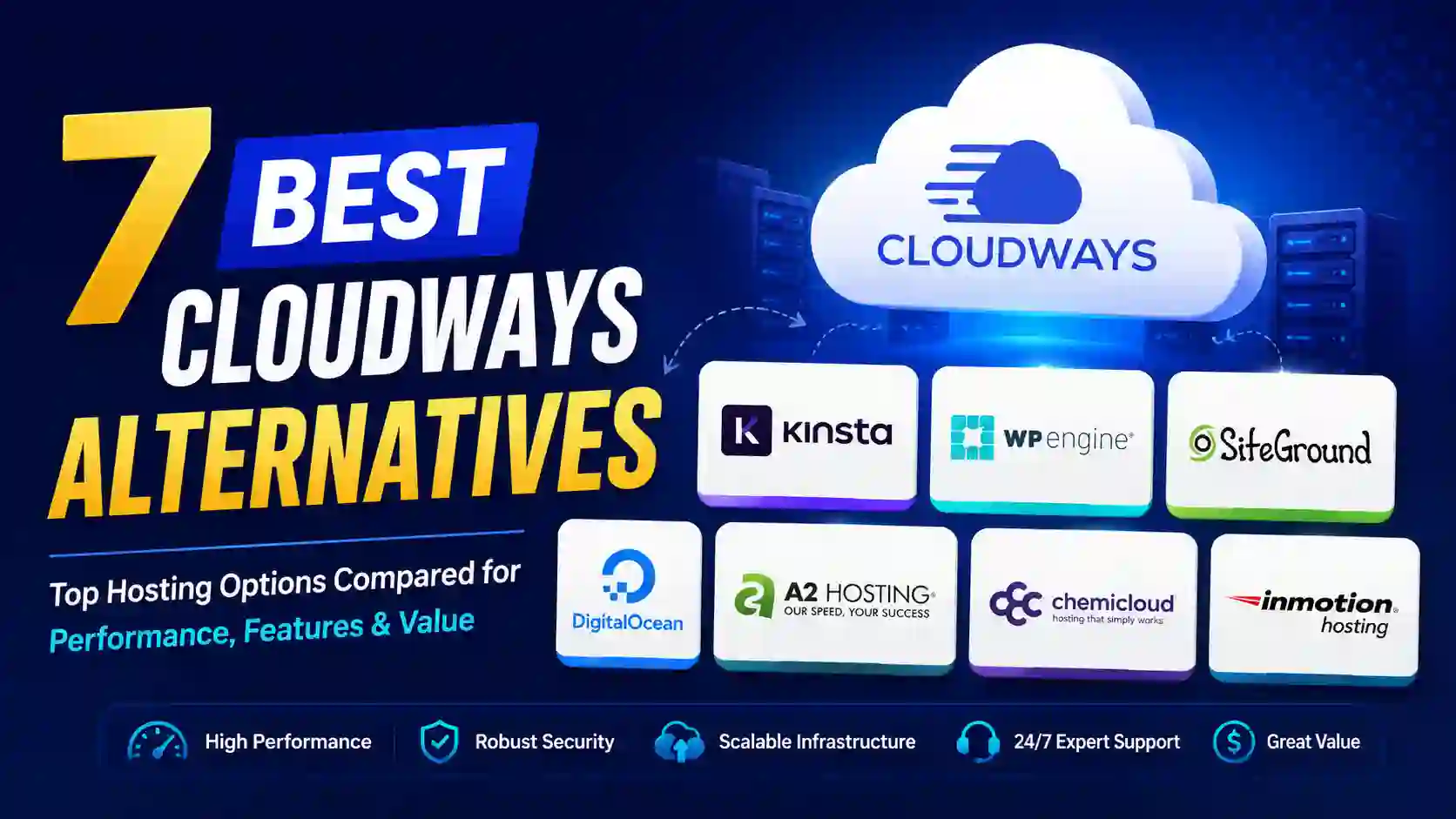
Cloudways Alternative: 7 Best Hosting Options to Consider in 2026
If you are searching for a Cloudways alternative, you are probably looking for a hosting platform that offers better pricing, easier management, stronger WordPress performance, or more control over your server.
Cloudways has become a popular managed cloud hosting platform because it combines cloud infrastructure with a simpler management interface. It supports different types of applications, offers managed server services, staging, SSL, backups, monitoring, and server-level controls.
However, Cloudways is not the perfect choice for every website owner.
Some users want fully managed WordPress hosting without worrying about servers. Others want a cheaper hosting plan for a small website. Developers may prefer a more flexible VPS, while agencies might want advanced WordPress tools and better client management features.
That is where a good Cloudways alternative can make sense.
In this guide, we will compare some of the best alternatives to Cloudways, including Kinsta, WP Engine, SiteGround, Hostinger, and self-managed VPS solutions. We will also explain which option is best for WordPress, WooCommerce, agencies, developers, beginners, and budget-conscious website owners.
Quick Comparison: Best Cloudways Alternatives
| Cloudways Alternative | Best For | Management Level | Main Advantage | Ideal User |
|---|---|---|---|---|
| Kinsta | Premium WordPress | Fully managed | Excellent WordPress-focused platform | Businesses and agencies |
| WP Engine | Business WordPress | Fully managed | Advanced WordPress features | Growing businesses |
| SiteGround | Beginners | Managed | Easy setup and affordable entry | Bloggers and small businesses |
| Hostinger | Budget hosting | Managed | Low-cost hosting | Beginners and small websites |
| RunCloud + VPS | Developers | Semi-managed | More server control | Developers |
| DigitalOcean | Technical users | Self-managed | Flexible cloud infrastructure | Developers |
| Liquid Web | Business and VPS | Managed | Powerful infrastructure | High-traffic websites |
Cloudways itself remains a strong option for users who want managed cloud hosting with flexibility. Its current platform supports WordPress, Magento, Laravel, and PHP applications, while offering managed infrastructure and multiple cloud infrastructure choices.
But if those features are not exactly what you need, one of the alternatives below may be a better fit.
What Is a Cloudways Alternative?
A Cloudways alternative is a hosting provider or hosting setup that can replace Cloudways for hosting websites and applications.
The right alternative depends on why you want to leave Cloudways.
For example:
- If you want premium WordPress hosting, Kinsta may be better.
- If you need enterprise WordPress features, WP Engine is worth considering.
- If you want affordable hosting, Hostinger can be attractive.
- If you want a beginner-friendly hosting dashboard, SiteGround may be easier.
- If you want complete server control, a VPS combined with RunCloud can be more suitable.
- If you want raw cloud infrastructure, DigitalOcean can provide greater technical control.
- If you operate a demanding business website, Liquid Web may be worth considering.
The important point is that there is no single best Cloudways alternative for everyone.
Your website's traffic, application, technical experience, budget, scalability requirements, and support expectations should determine your choice.
Why Look for a Cloudways Alternative?
Cloudways offers a useful middle ground between traditional shared hosting and completely unmanaged cloud servers. Its managed services include server maintenance, security updates, firewall configuration, SSL management, staging, and various server/application controls.
Still, users may consider alternatives for several reasons.
1. You Want Simpler WordPress Hosting
Cloudways provides more infrastructure options than many traditional WordPress hosts. That flexibility can be useful, but it can also introduce additional decisions.
A WordPress-only platform can be easier if you simply want to install WordPress, configure your website, and concentrate on publishing content.
2. You Want Lower Hosting Costs
Cloudways can be excellent value for growing websites, but a small blog may not need a managed cloud server.
If you are running a new website with relatively low traffic, a traditional managed WordPress or shared hosting plan may provide everything you need at a lower cost.
3. You Need Full Server Control
Cloudways manages much of the server environment for you. That is convenient, but developers who want complete root access and freedom to configure the operating system may prefer a VPS.
4. You Want Premium WordPress Support
Cloudways supports several applications, while companies such as Kinsta and WP Engine focus heavily on WordPress.
For a WordPress-only business, specialized hosting can sometimes provide a more streamlined experience.
5. You Need a Different Pricing Model
Hosting companies use different billing models. Some charge by server resources, some by website, some by traffic or visits, and others use traditional monthly plans.
Your ideal Cloudways alternative should have a pricing model that matches how your websites actually use resources.
1. Kinsta — Best Premium Cloudways Alternative for WordPress
Kinsta is one of the strongest alternatives to Cloudways if your primary application is WordPress.
Unlike Cloudways, which supports multiple applications and cloud configurations, Kinsta is heavily focused on managed WordPress hosting. This specialization makes it particularly attractive to businesses, agencies, WooCommerce stores, and publishers that want a managed environment.
Kinsta uses Google Cloud infrastructure and provides a WordPress-focused management experience.
Why Choose Kinsta?
Kinsta is a good option if you want:
- Managed WordPress hosting
- Premium performance
- Managed backups
- Staging environments
- WordPress-focused support
- A simplified hosting dashboard
- Strong security features
- Scalable infrastructure
The biggest disadvantage is flexibility.
If you need Laravel, Magento, Node.js, or another application outside WordPress, Kinsta may not be the right replacement for Cloudways.
Kinsta vs Cloudways
Cloudways is generally more flexible because it supports multiple applications and cloud infrastructure choices. Kinsta is more specialized.
Choose Kinsta if you want a premium WordPress experience and do not need a general-purpose application hosting platform.
2. WP Engine — Best Cloudways Alternative for Business WordPress
WP Engine is another major Cloudways alternative for WordPress users.
It focuses specifically on managed WordPress hosting and is designed for businesses, agencies, developers, publishers, and organizations that want a managed WordPress platform.
WP Engine offers tools designed around WordPress development, performance, security, staging, and website management.
Why Choose WP Engine?
WP Engine can be a good choice if you need:
- Managed WordPress hosting
- Development and staging tools
- Business-focused infrastructure
- WordPress-specific support
- Performance optimization
- Security features
- Agency-oriented workflows
The trade-off is that WP Engine is less flexible than Cloudways for hosting applications outside WordPress.
If your business operates several Laravel or PHP applications alongside WordPress websites, Cloudways may remain more versatile.
WP Engine vs Cloudways
Cloudways gives you more infrastructure and application flexibility.
WP Engine gives you a more specialized WordPress environment.
For a WordPress-only business, WP Engine can be an excellent Cloudways alternative.
3. SiteGround — Best for Beginners
SiteGround is worth considering if your biggest reason for looking for a Cloudways alternative is simplicity.
Cloudways is designed around managed cloud infrastructure, while SiteGround offers a more traditional hosting experience that can be easier for beginners.
SiteGround can be suitable for:
- Bloggers
- Small businesses
- Portfolio websites
- New WordPress websites
- Small online stores
- Freelancers
The platform includes managed features designed to make website hosting easier.
Why Choose SiteGround?
SiteGround can be attractive if you want:
- Easy WordPress setup
- Managed hosting
- SSL
- Backups
- Beginner-friendly tools
- Website management features
- A relatively straightforward hosting experience
However, it is not a direct replacement for Cloudways from a server-management perspective.
If your website requires highly customized cloud infrastructure or advanced server configurations, Cloudways may be more appropriate.
SiteGround vs Cloudways
Choose SiteGround when simplicity is more important than infrastructure flexibility.
Choose Cloudways when scalability, cloud infrastructure, and server-level options are more important.
4. Hostinger — Best Budget Cloudways Alternative
If price is your primary concern, Hostinger deserves consideration.
Hostinger provides affordable hosting plans aimed at individuals, bloggers, small businesses, and growing websites. It can be a practical Cloudways alternative when you do not require the same level of cloud infrastructure management.

Hostinger Deal: 89% Off + Extra 20% Off
Save more on your hosting with this exclusive Hostinger deal. Get up to 89% off Hostinger hosting + an extra 20% discount when you use the special offer link.
For a new WordPress website, you may not need the complexity of a managed cloud platform.
A lower-cost hosting plan can be sufficient until your traffic and resource requirements increase.
Why Choose Hostinger?
Hostinger is particularly attractive for:
- New websites
- Personal blogs
- Small businesses
- Affiliate websites
- Portfolio websites
- Budget-conscious users
Its main advantage is simplicity and cost.
Hostinger vs Cloudways
Cloudways is generally a better fit when you need managed cloud infrastructure and scalability.
Hostinger can make more sense when your website is still small and keeping monthly hosting costs low is important.
For users who are moving away from Cloudways because of cost, Hostinger may be one of the first alternatives worth investigating.
5. RunCloud + VPS — Best for Developers
For technically experienced users, a VPS combined with a server management platform such as RunCloud can be an interesting Cloudways alternative.
Instead of buying a managed server from Cloudways, you purchase a VPS from a cloud provider and use a management platform to simplify server administration.
This approach can provide more control over:
- PHP versions
- Nginx
- MySQL
- Redis
- Server resources
- Security configuration
- Applications
- Server-level settings
However, there is a major trade-off.
You become more responsible for your infrastructure.
Cloudways handles many server-management tasks for you. With a VPS-based setup, you may need to understand server security, backups, updates, optimization, and troubleshooting.
Who Should Use This Option?
This is best for:
- Developers
- Agencies with technical staff
- Experienced WordPress professionals
- DevOps teams
- Users who want greater control
It is not necessarily the best choice for beginners.
6. DigitalOcean — Best for Technical Users
DigitalOcean is another option for users considering a Cloudways alternative, particularly developers who want direct access to cloud infrastructure.

DigitalOcean Offer: Get $200 Free Credit
Start building and hosting your projects with DigitalOcean and get up to $200 in free credit for eligible new customers. It’s a great option for developers, startups, and website owners who want flexible cloud infrastructure without committing to a large upfront hosting cost.
Cloudways itself uses cloud infrastructure from providers including DigitalOcean and other major infrastructure platforms. The important distinction is that Cloudways adds a management layer, while using DigitalOcean directly puts more responsibility in your hands.
Why Choose DigitalOcean Directly?
You may prefer DigitalOcean if you want:
- Greater server control
- Flexible infrastructure
- Developer-oriented tools
- Custom configurations
- Direct cloud resources
- More control over software installation
The disadvantage is that you lose much of the convenience associated with managed hosting.
You are responsible for more of the server administration process.
For an experienced developer, that can be a benefit.
For a beginner, it can quickly become a headache.
7. Liquid Web — Best for Demanding Websites
Liquid Web is another hosting provider worth considering for businesses that need powerful infrastructure and managed hosting services.
It is particularly relevant for businesses that have outgrown basic shared hosting and need more resources, support, and server capabilities.

Liquid Web Deal: 50% Off
Save on premium managed hosting with this Liquid Web 50% off offer. Get powerful hosting for business websites, WordPress sites, VPS, and other resource-intensive projects while reducing your initial hosting cost.
Managed VPS and cloud solutions can provide a middle ground between basic hosting and completely self-managed infrastructure.
Why Consider Liquid Web?
It can be suitable for:
- High-traffic websites
- Business applications
- Ecommerce websites
- Agencies
- Growing companies
- Resource-intensive websites
The main consideration is cost. Premium infrastructure and managed services generally come at a higher price than entry-level hosting.
Cloudways Alternative: Which One Is Best for You?
The best Cloudways alternative depends on what you want to improve.
| Your Requirement | Recommended Alternative |
| Premium WordPress hosting | Kinsta |
| Business WordPress | WP Engine |
| Beginner-friendly hosting | SiteGround |
| Low-cost hosting | Hostinger |
| Full server control | DigitalOcean + RunCloud |
| Developer-focused cloud | DigitalOcean |
| Powerful managed hosting | Liquid Web |
| Multi-application hosting | Cloudways |
There is no reason to switch from Cloudways simply because another provider exists.
Cloudways remains particularly useful when you need a combination of managed hosting, cloud infrastructure, application flexibility, staging, SSL, monitoring, and server management.
The goal should be to find the platform that fits your website rather than automatically choosing the most popular alternative.
Cloudways vs Alternatives: Important Factors to Consider
Before migrating, compare more than the advertised monthly price.
Performance
Look at server resources, caching, CDN integration, database performance, PHP configuration, and geographical location.
A cheap plan that struggles under traffic is not necessarily cheaper in the long run.
Scalability
If your website is growing quickly, choose a platform that allows you to increase resources without rebuilding your entire hosting environment.
Cloud-based hosting is particularly useful for websites that experience unpredictable traffic.
Support
Support quality becomes increasingly important as your website becomes a business.
A small personal blog can survive occasional technical issues. An ecommerce store or revenue-generating website cannot.
Backups
Always check:
- Backup frequency
- Backup retention
- Restore process
- Off-site backup options
- Backup availability during emergencies
Never select a host based solely on storage and CPU specifications.
Security
Your hosting provider should provide a strong foundation for:
- SSL
- Firewall protection
- Security updates
- Malware protection
- Account security
- Monitoring
You should still maintain WordPress, plugins, themes, passwords, and application-level security yourself.
Migration
Migration should also be part of your decision.
Before switching from Cloudways, verify whether your new provider offers free migration and whether it can handle your current configuration.
For WordPress websites, migration is usually straightforward, but complex ecommerce websites and custom applications require additional testing.
How to Choose the Right Cloudways Alternative?
Use this simple process before making a decision.
Step 1: Identify Your Application
Are you running WordPress, WooCommerce, Laravel, Magento, or a custom PHP application?
This immediately eliminates some providers.
Step 2: Estimate Your Traffic
Do not choose hosting based only on today's traffic.
Consider your expected traffic over the next 12 to 24 months.
Step 3: Determine Your Technical Skill
If you do not want to manage servers, choose fully managed hosting.
If you are comfortable with Linux, SSH, Nginx, PHP, databases, and server security, a VPS may provide better flexibility.
Step 4: Calculate the Total Cost
Consider:
- Hosting
- CDN
- Backups
- Security
- Premium plugins
- Management software
- Migration
- Support
A cheaper server can become more expensive once you add all the services you need.
Step 5: Consider Future Growth
Your hosting should not only work today.
If your website grows from 10,000 to 100,000 monthly visitors, you should have a realistic upgrade path.
Should You Switch From Cloudways?
Not necessarily.
Cloudways remains a strong choice if you need managed cloud hosting without wanting to administer a server completely by yourself.
Its platform supports multiple applications and provides server management features, staging, SSL, monitoring, backups, and other tools.
You should consider switching if:
- You only need basic WordPress hosting.
- Cloud infrastructure is unnecessary for your website.
- You want a cheaper entry-level plan.
- You need a premium WordPress-only platform.
- You require complete root-level control.
- Your current hosting workflow does not match your business.
In other words, switching should solve a specific problem.
Final Verdict: Which Cloudways Alternative Should You Choose?
Choosing a Cloudways alternative is ultimately about matching your hosting environment to your website's needs.
If you run a serious WordPress website and want premium managed hosting, Kinsta is one of the strongest options to consider.
If you operate a business-focused WordPress website or agency, WP Engine can provide a specialized managed WordPress environment.
If affordability is your priority, Hostinger is worth considering.
If you want a beginner-friendly hosting platform, SiteGround can be a practical option.
If you are a developer who wants more control, a VPS with RunCloud or direct cloud infrastructure such as DigitalOcean may be more appropriate.
And if you need a combination of managed infrastructure, multiple applications, cloud flexibility, and server-level controls, there may be no compelling reason to leave Cloudways at all.
The most important thing is to compare your actual requirements rather than simply comparing advertised prices. A hosting provider that costs a little more but saves hours of troubleshooting can be much better value for a business. Likewise, paying for a premium managed platform does not make sense if your website only needs basic shared hosting.
For most users, the decision can be simplified:
Choose Kinsta for premium WordPress, WP Engine for business WordPress, Hostinger for budget hosting, SiteGround for simplicity, and a VPS-based solution for maximum control.
That makes it much easier to find the right Cloudways alternative without choosing a hosting platform that is either unnecessarily complicated or too limited for your website's future growth.
Frequently Asked Questions
Kinsta can also be a strong choice for beginners who specifically want premium managed WordPress hosting and are comfortable with a higher budget.

Verified Expert in deals and money-saving tips


No comments yet. Be the first to share your thoughts!